Kapost: Holiday Release - 16 December, 2024
Summary
Release Date
Holiday Release - 16 December, 2024
New Features
Release Overview
New Features
Kapost Gen-AI Widget
Kapost’s Gen AI feature empowers content creators with advanced AI-driven tools to enhance, streamline, and optimize the content creation process directly within the platform. To get the Kapost Gen AI feature, please reach out to the CSMs.
Once enabled via admin settings and a consent form, users can access a dedicated button to generate and refine high-quality content within HTML body types. The feature offers capabilities like summarizing, improving, rephrasing, tone adjustment, grammar checks, translation, and styling content with color-coded highlights and formatted HTML. The chat history is available only during the ongoing session and will be cleared when the window is closed. A monthly usage quota per instance applies, but the quota can be increased by contacting CSMs.
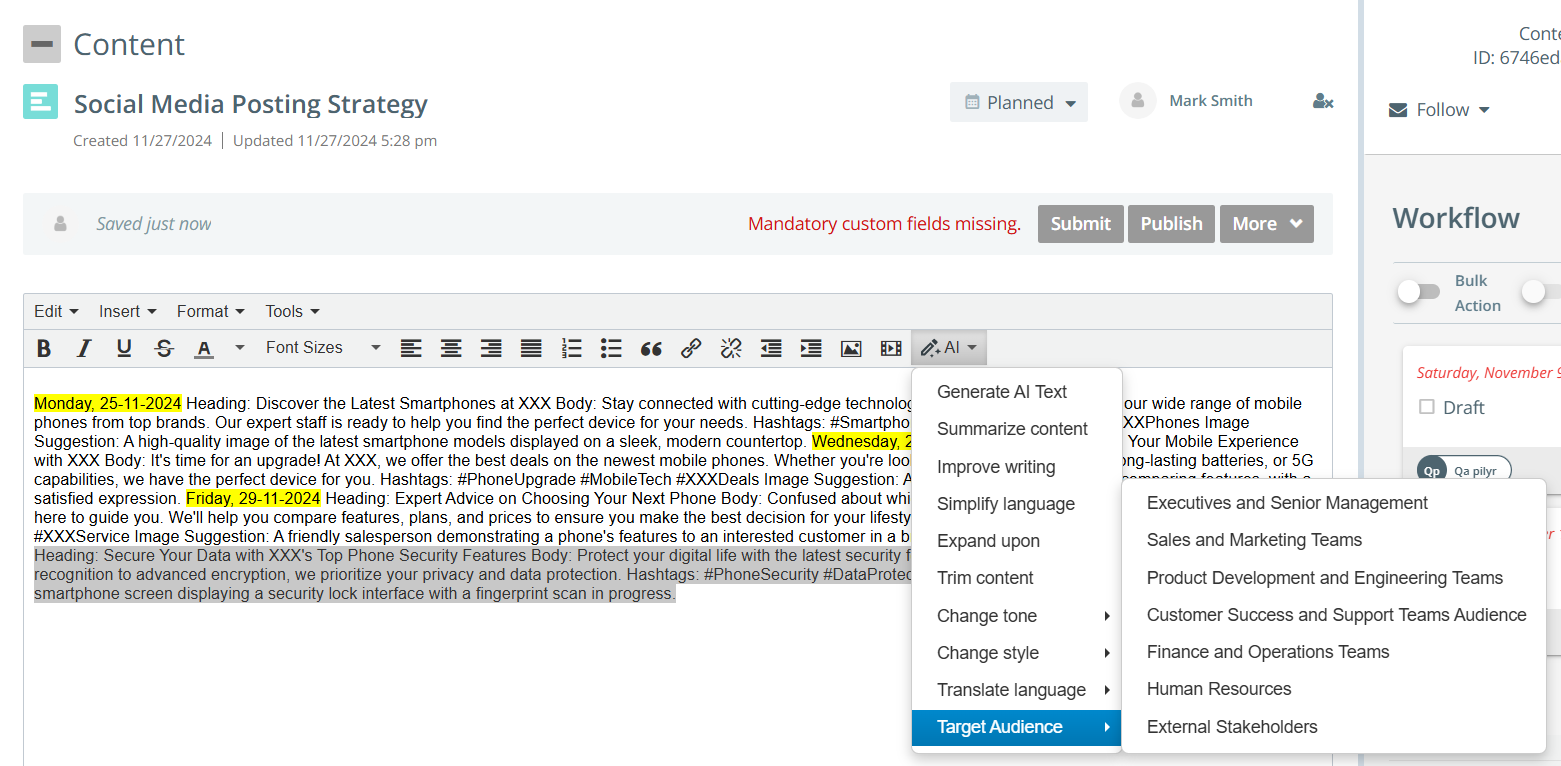

To learn more about enabling the setting, refer to Kapost AI and to know how to use the widget in content, refer to Kapost Gen AI Widget in HTML Body Types on the Help Center.
Initiative Ideas
Initiative Ideas makes it easier for teams to submit and align on campaign ideas, helping to make smarter, quicker decisions that align everyone around a common goal; delivering campaigns that resonate, engage, and drive results. Initiative Ideas can be configured under the Crowdsourcing settings and can only be received via email, allowing teams to manage them, along with any supporting attachments, directly in Kapost. Each initiative type has a specific email address, which can be shared with users submitting ideas.

The review and approval process is simple, allowing users to approve or reject ideas submitted from different sources for various initiative types. Once approved, ideas can easily be turned into actionable initiatives, all within Kapost, ensuring a smooth flow from ideation to execution.

An "Idea" section appears within the initiative details to indicate that the initiative was derived from an idea. The ideas catalog displays a tag to show whether it is a content idea or an initiative idea, and a column is added to show the content/initiative type.
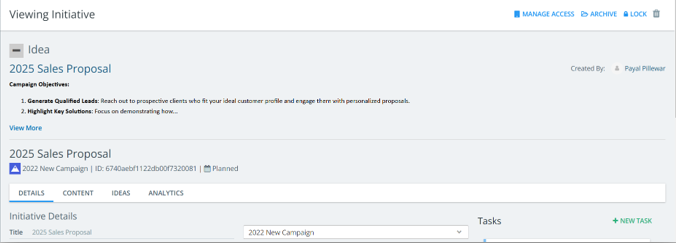

To learn more, refer to Initiative Ideas on the Help Center.
Kapost-Teams Integration
Stay on top of your tasks with real-time notifications in Teams. Get instant alerts for task assignments, updates, and deadlines, ensuring your team stays aligned and can take action quickly. Automatic notifications for overdue tasks help keep projects on track and ensure nothing is missed. With task alerts delivered directly to your phone via the Teams mobile app, you will stay informed anytime, anywhere. This seamless integration fosters better collaboration, smoother communication, and continuous feedback between content teams, ensuring efficient task management and enhanced productivity.
To learn more, refer to Integrate with Microsoft Teams on the Help Center.
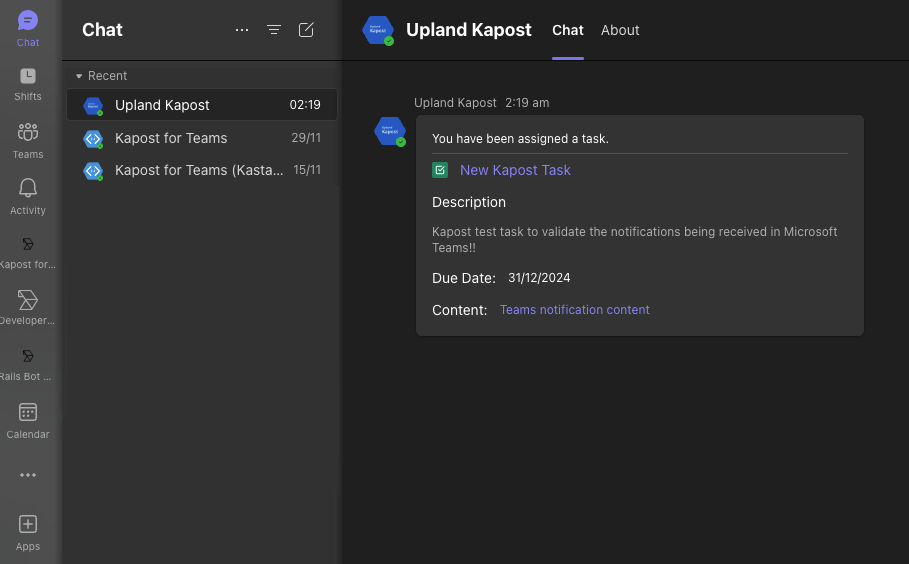
To integrate with Microsoft Teams, please reach out to CSMs. Once integrated, admins can enable task notifications in Microsoft Teams for all users in the General Settings. Users can further customize task notifications on Microsoft Teams for specific instance(s) in the Teams Notification Settings.
Minor Enhancements
Submitting Content Ideas via Email
The 'Content to Submit' section now displays email addresses for the specific content types, along with their URLs. These can be shared with users who will submit their ideas for the selected content type through email.
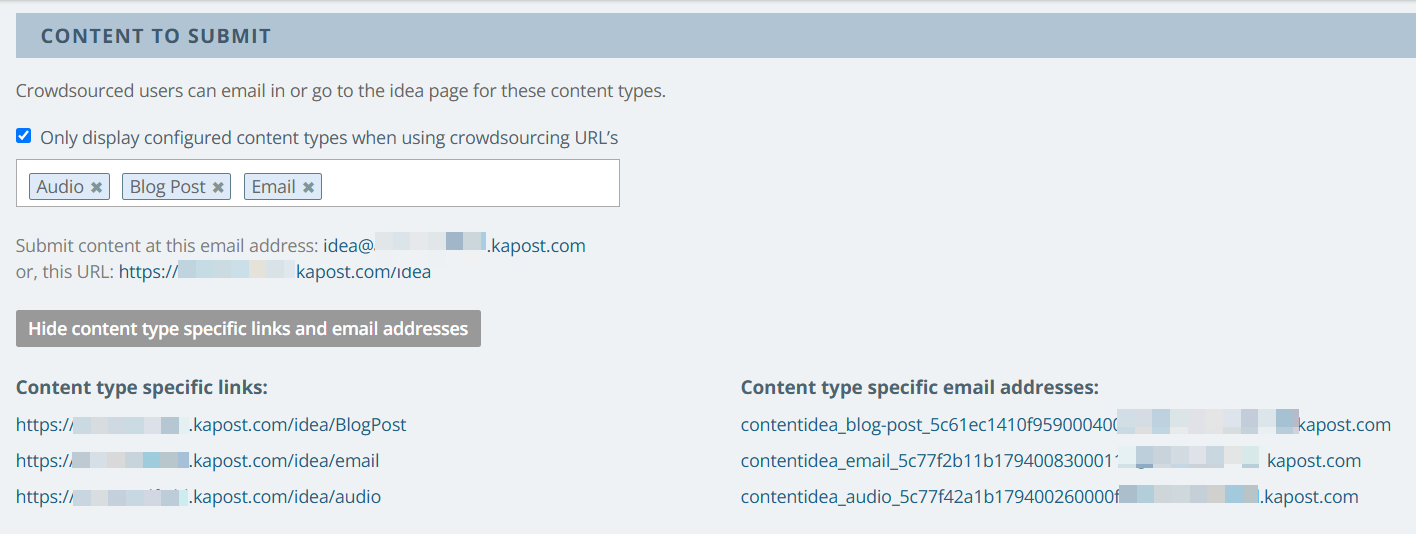
To learn more, refer to Content Ideas on the Help Center.
Filter by Content Status in Gallery
Within a Collection, users now have the option to filter by Content Status. This can be done by adding Custom Filters on the Collection Settings page. Once selected, the 'Content Status' filter appears on the Collections page.
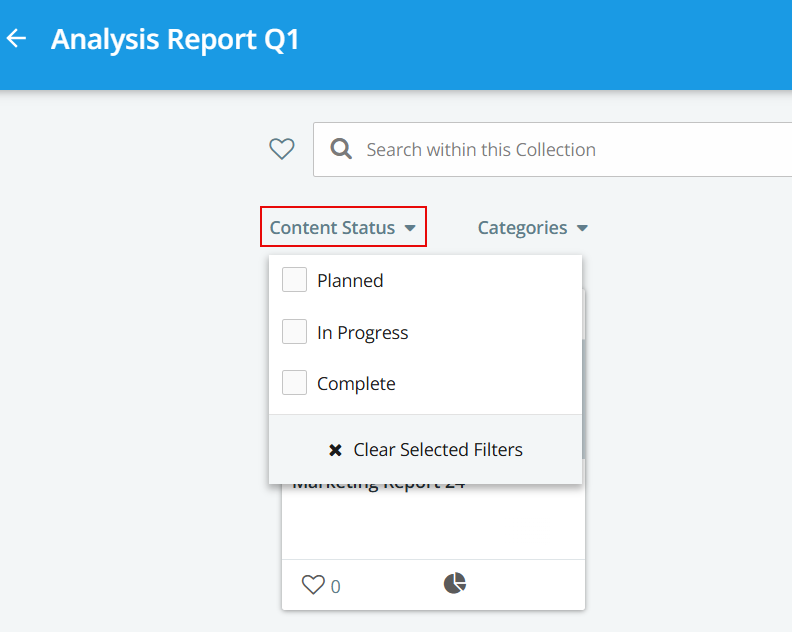
To learn more, refer to Gallery Collections Setting on the Help Center.
Related Content in Custom Report and Content Catalog
Users can generate a report to view the "Related Content" details associated with specific content by adding it as a column.
To learn more, refer to Custom Reports on the Help Center.

The Related Content entries appear as clickable links, allowing users to navigate directly to the associated content.

Clicking on 'View more' displays all the related content associated with the content.

Users can view related content details within the catalog by adding 'Related Content' as a column. Clicking on 'View more' displays all the related content associated with the content.

Restrict Spam Membership Request Emails
Admins can specify which domains are allowed to submit membership requests by entering the domain(s) in the Membership Settings page. If no domains are specified, membership requests are open to all.
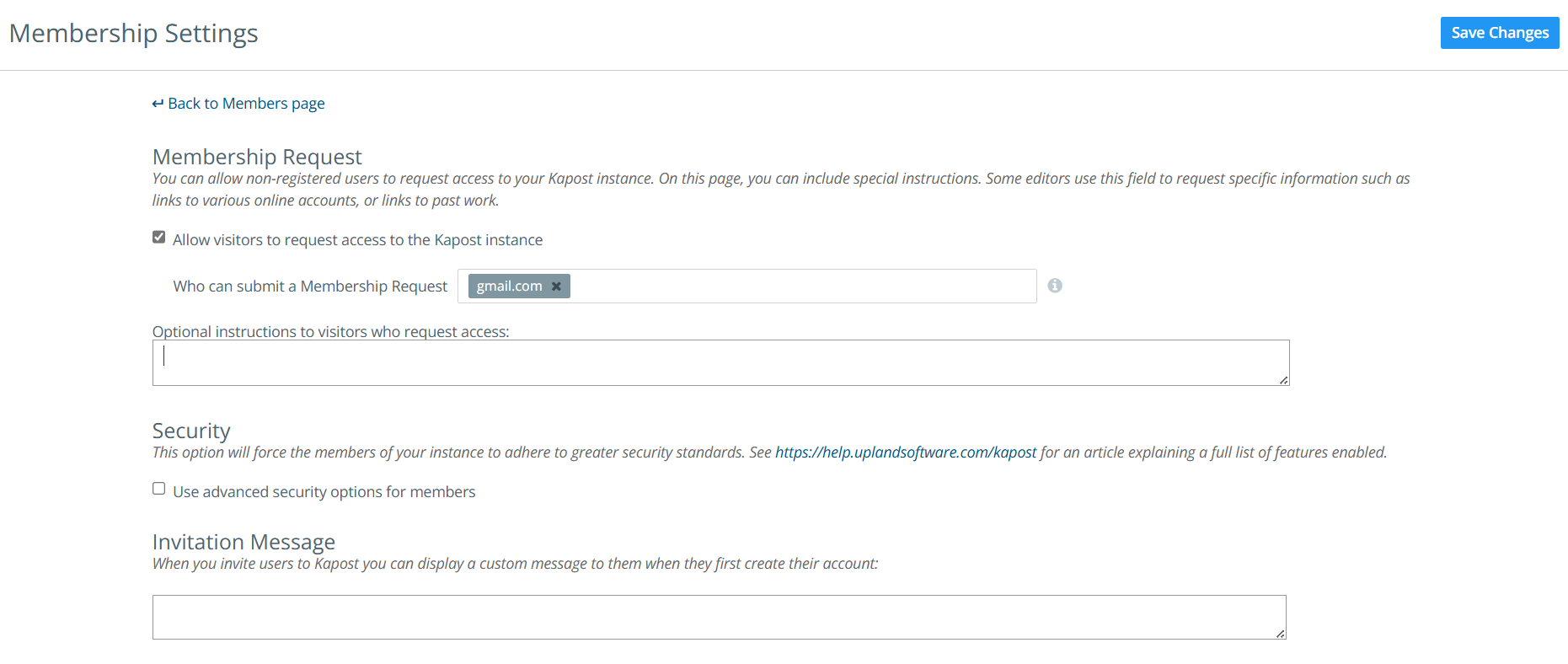
To learn more, refer to Members Page Overview on the Help Center.
Adding Consumer Users to Studio Catalogs
The consumer's username now appears in the 'Next Task Assignee(s)' or 'Task Assignees' column instead of 'Removed Member,' making it easier to identify the assigned consumer user. Additionally, the consumer's name is included when exporting a CSV from the catalog.
To learn more about the Holiday release 2024, see Kapost Holiday Release Guide 2024.pdf.